
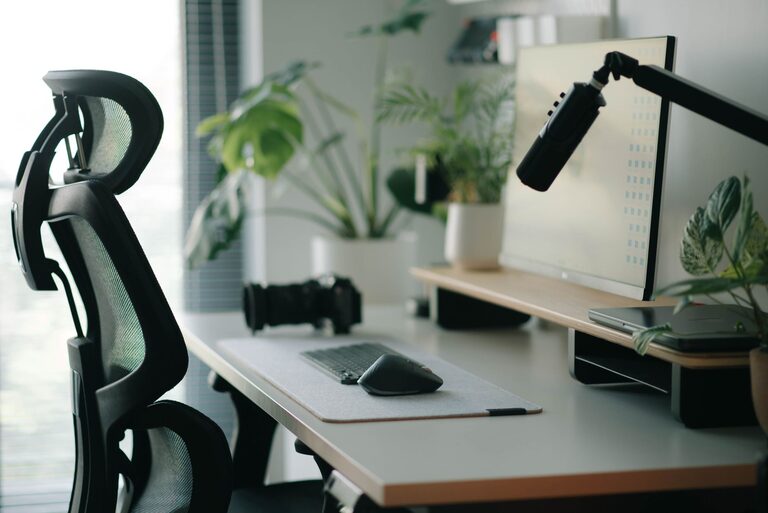
Creating a desk setup that promotes focus and comfort is essential for anyone who spends significant time working or studying at a desk. A well-organized and ergonomic workspace can help reduce distractions, prevent discomfort, and improve productivity. Whether you work from home, in an office, or at school, these tips will help you build a desk setup that supports your best work.
Why Your Desk Setup Matters
Your workspace impacts your ability to concentrate and stay comfortable during long hours of work. Poor ergonomics can lead to physical discomfort such as neck pain, backaches, and eye strain. Clutter and poor lighting can distract you and reduce efficiency. On the other hand, a thoughtful desk setup supports good posture, keeps you organized, and creates an environment where you can focus and feel at ease.
Ergonomics: The Foundation of Comfort
Chair and Desk Height
Start by adjusting your chair and desk height for proper ergonomics:
– Chair height: Your feet should rest flat on the floor or on a footrest. Your knees should be roughly at a 90-degree angle.
– Desk height: Ideally, your desk surface should be at or slightly below elbow height when your arms rest comfortably at your sides.
– Back support: Use a chair that supports the natural curve of your lower back. If needed, add a lumbar cushion.
Monitor Placement
Position your computer monitor to avoid neck and eye strain:
– Place the monitor directly in front of you, about an arm’s length away.
– The top of the screen should be at or slightly below eye level, so you look slightly downward at the screen.
– Avoid glare by positioning the monitor perpendicular to windows or using curtains/blinds.
Keyboard and Mouse Setup
Proper keyboard and mouse placement helps prevent wrist strain:
– Keep your keyboard and mouse close enough so you don’t have to reach.
– Your wrists should be in a neutral, straight position when typing or using the mouse.
– Consider using a wrist rest or ergonomic keyboard/mouse if you experience discomfort.
Organizing Your Desk for Maximum Focus
Keep Essentials Within Reach
Arrange frequently used items such as pens, notepads, and your phone within easy reach. This minimizes distractions from reaching across your desk or standing up repeatedly.
Declutter Regularly
A cluttered desk can cause stress and reduce focus. Keep only the items you need for your current tasks on your desk. Store other things in drawers, shelves, or organizers.
Use Desk Organizers
Desk organizers like trays, pen holders, and file sorters help keep small items tidy. This makes your workspace look neater and helps you find things faster.
Lighting: Set the Right Mood
Natural Light
If possible, place your desk near a window to take advantage of natural light. Natural light improves mood and alertness during the day.
Task Lighting
Add a desk lamp with adjustable brightness to reduce eye strain. Direct the light onto your work area without causing glare on your screen.
Avoid Harsh Overhead Lighting
Bright, harsh overhead lights can cause discomfort. Use soft, diffused lighting or a combination of natural and artificial light sources.
Personalize Your Workspace
Add Plants or Decor
Plants can improve air quality and add a touch of nature that enhances well-being. Small, low-maintenance plants like succulents or ferns work well on desks.
Personal items, like photos or motivational quotes, can also make your workspace feel welcoming and inspiring.
Choose Comfortable Accessories
Use a comfortable mouse pad with wrist support or a soft desk pad to make your workspace more pleasant.
Additional Tips for Maintaining Focus and Comfort
– Take breaks: Stand up, stretch, or walk around every hour to reduce physical tension and maintain concentration.
– Use headphones: If your environment is noisy, headphones or earbuds can help block distractions.
– Cable management: Use clips or sleeves to organize cables and keep them off your desk surface.
– Maintain good posture: Regularly check your posture and adjust your setup as needed.
Conclusion
A desk setup that promotes focus and comfort doesn’t require expensive equipment or a lot of space. Thoughtful adjustments to ergonomics, organization, lighting, and personal touches can create a workspace where you can work efficiently and comfortably. Take the time to set up your desk with these tips, and you may notice a boost in your productivity and well-being.
Creating a workspace tailored to your needs is an investment in your daily comfort and success. Start with these simple changes and build from there!